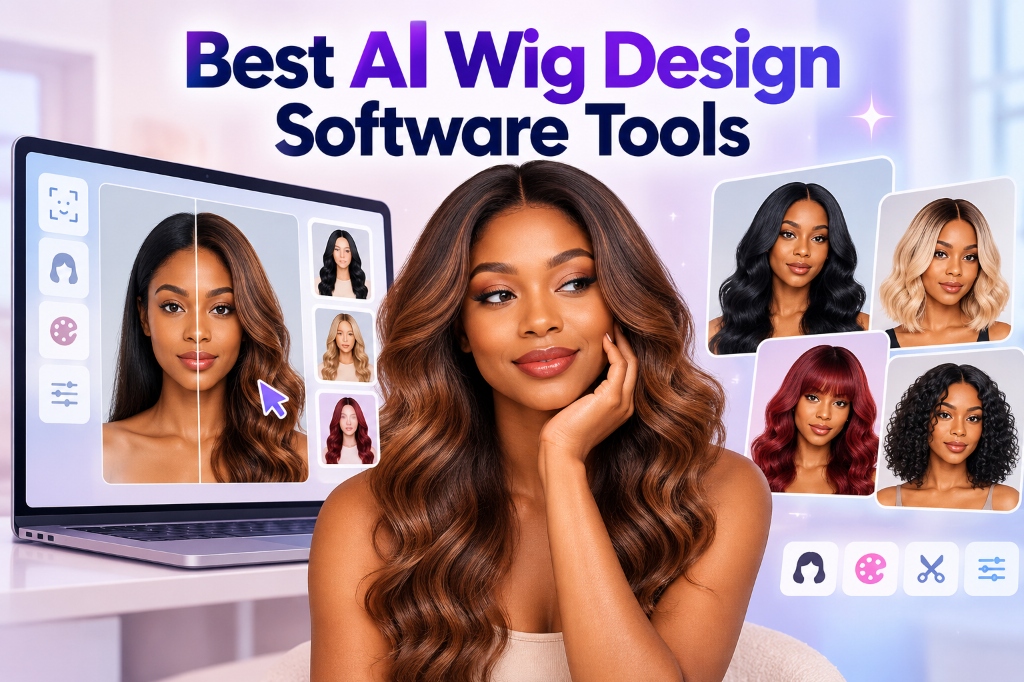
AI Wig Design Software Tools: 10 Best Tools to Create, Customize, and Try On Wigs in 2026
Choosing a wig design tool can be confusing, especially if you are new to digital hair design. Some tools help you create original wig concepts using text prompts, while others let you upload a photo and preview different hairstyles, colors, and wig looks on your face. Professional platforms can also help wig retailers prepare product images and offer virtual try-on experiences to customers.
The best AI wig design software depends on what you want to achieve. A beginner exploring a new hairstyle needs something different from a professional wig designer developing a collection or a business owner selling wigs online. This article compares 10 AI wig design and virtual try-on tools, explains their features in simple language, and helps you choose the right option for your needs.
---
Table of Contents
- [What Is AI Wig Design Software?](#what-is-ai-wig-design-software) - [How We Selected the Tools](#how-we-selected-the-best-ai-wig-design-software-tools) - [Quick Comparison](#quick-comparison-of-the-best-ai-wig-design-software-tools) - [10 Best AI Wig Design Software Tools](#10-best-ai-wig-design-software-tools-in-2026) - [What Can You Create?](#what-can-you-create-with-ai-wig-design-software) - [How to Choose the Right Tool](#how-to-choose-the-right-ai-wig-design-software) - [Step-by-Step Design Process](#how-to-design-a-wig-using-ai-step-by-step-process) - [Best AI Prompts for Wig Design](#best-ai-prompts-for-creating-wig-designs) - [Common Mistakes to Avoid](#common-mistakes-to-avoid-when-using-ai-wig-design-software) - [Frequently Asked Questions](#frequently-asked-questions-about-ai-wig-design-software) - [Final Verdict](#final-verdict-which-ai-wig-design-software-should-you-choose)
---
What Is AI Wig Design Software?
AI wig design software uses artificial intelligence to help people create, edit, or preview wig styles digitally. Depending on the tool, you can describe a hairstyle in words, upload a photograph, change hair colors, experiment with different textures, or visualize a wig on a person's face. The software generates a visual preview that helps you explore ideas before spending money on a physical wig.
For example, imagine that you want to see how a long, curly, burgundy wig would look on you. Instead of purchasing the wig first, you can use a virtual try-on tool to preview a similar style on your photograph. If you design wigs professionally, you can use an AI image generator to create concepts for different colors, lengths, and shapes. However, a digital preview does not replace checking the actual wig's cap size, fit, hair quality, and construction.
---
How We Selected the Best AI Wig Design Software Tools
AI wig design includes several different activities, so comparing every product using the same criteria would be misleading. Some tools focus on personal hairstyle experiments, while others specialize in realistic virtual try-on experiences or AI-generated design concepts. We considered each tool's main purpose, ease of use, customization options, and suitability for individuals or businesses.
We also reviewed product information and published material about AI hairstyle generators, virtual wig try-on platforms, and image-generation software. The tools below are selected according to their intended uses, not a claim that every product has been independently tested.
> [!NOTE] > Features, prices, and access options can change. Check the official website before purchasing a subscription.
---
Quick Comparison of the Best AI Wig Design Software Tools
| Software | Best For | Main Capability | Suitable for Beginners? | | :--- | :--- | :--- | :--- | | **Adobe Firefly** | Creating custom wig concepts | AI image generation and editing | Yes | | **Midjourney** | Creative and fashion-forward wigs | Text-to-image generation | Yes, with some learning | | **DesignKit** | Virtual hairstyle and wig visualization | Photo-based AI editing and virtual try-on | Yes | | **Perfect Corp** | Beauty brands and retailers | Virtual try-on technology | Depends on implementation | | **Banuba TINT** | Custom business try-on experiences | Wig try-on technology and integration | Usually requires setup | | **WigTryAI** | Exploring wig styles online | AI-based wig visualization | Depends on current features | | **YouCam Makeup** | Hairstyle and color experiments | Beauty and appearance editing | Yes | | **AI Ease** | Quick online image transformations | AI image editing | Yes | | **Photoshop** | Professional wig photo editing | Detailed image editing and compositing | Requires practice | | **TryYourWig** | Professional wig-shop workflows | Virtual wig try-on | Depends on setup |
> [!IMPORTANT] > Not all these tools perform the same task. An AI image generator can create an attractive wig concept without showing an actual product. A virtual try-on tool helps visualize a style on a person, while a business-focused platform may support integration into a store or application.
---
10 Best AI Wig Design Software Tools in 2026
---
1. Adobe Firefly: Best for Creating Custom Wig Design Concepts
**Best for:** Beginners, creative designers, wig brands, and marketing teams.
Adobe Firefly is an AI image-generation and editing platform that can help you develop original wig concepts from written descriptions. You can describe the length, curl pattern, hair color, fringe, volume, and overall appearance you want, then generate a visual reference. It is particularly useful when you want to explore several creative directions before deciding which designs to develop into physical products.
#### Key Features
- Generate wig concepts from detailed text prompts. - Explore colors, textures, lengths, and hairstyles visually. - Create visual references and mood boards for new collections. - Refine generated images and prepare marketing graphics. - Continue editing through compatible Adobe creative tools.
#### How to Use It for Wig Design
1. Visit the Adobe Firefly website. 2. Open the image-generation feature. 3. Describe the wig, hair texture, color, model, and background. 4. Generate several variations and compare the results. 5. Refine your preferred image and save it for further editing.
**Example prompt:** *Create a realistic product concept of a shoulder-length copper-red lace-front wig with soft curls, natural-looking hair density, a side part, a clearly visible hairline, and a plain studio background.*
> [!NOTE] > Generated images can contain inaccurate hairlines, inconsistent strands, or details that would be difficult to reproduce in a real wig. Review the result carefully before using it as a manufacturing reference.
- **Official website:** [Adobe Firefly](https://firefly.adobe.com/)
---
2. Midjourney: Best for Creative and Fashion-Forward Wig Designs
**Best for:** Fashion designers, creative studios, cosplay concepts, and editorial wig collections.
Midjourney is useful when you want to explore unusual wig shapes, striking color combinations, or styles that go beyond everyday hairstyles. For example, a designer developing a fantasy wig collection can experiment with metallic silver waves, oversized curls, multicolored braids, or futuristic silhouettes. Instead of sketching every concept manually, you can describe the look and generate several visual interpretations.
#### Key Features
- Create imaginative wig concepts using text prompts. - Explore editorial, fantasy, vintage, and contemporary styles. - Experiment with colors, silhouettes, lighting, and composition. - Produce inspiration images for designers and stylists. - Develop visual themes for campaigns and collections.
**Example prompt:** *Create an editorial fashion photograph featuring a dramatic waist-length black braided wig with sculptural loops, fine silver accents, realistic hair texture, and a neutral studio background.*
> [!NOTE] > Getting a specific design can require several prompt adjustments. Check the current subscription and image-use terms before using generated designs commercially.
- **Official website:** [Midjourney](https://www.midjourney.com/)
---
3. DesignKit: Best for Virtual Wig Try-On and Hairstyle Visualization
**Best for:** Individual users, wig shoppers, beauty creators, and businesses that need hairstyle visuals.
DesignKit offers AI-powered image editing and virtual try-on capabilities that can help users explore different hairstyles and wig looks. You can upload a portrait, describe the hairstyle you want, and use AI to generate a visual transformation. This makes it useful for people who want to experiment with hair length, color, texture, or a different wig style without making a physical change first.
#### Key Features
- Upload a portrait and describe the desired hairstyle. - Explore different hair lengths, colors, and textures. - Use reference images to help communicate a specific wig style. - Generate hairstyle variations for side-by-side comparison. - Create visual references for personal styling or creative projects.
#### How to Try On a Wig Using DesignKit
1. Open DesignKit's virtual try-on workflow. 2. Upload a clear, front-facing portrait. 3. Add a reference image of the wig if you have one. 4. Enter a prompt explaining how the wig should appear on the person. 5. Generate the result, review the hairline and proportions, and refine if necessary.
**Example prompt:** *Apply the uploaded long, dark-brown curly wig to the person in the portrait. Preserve the person's facial features, skin tone, expression, clothing, and background. Make the wig look natural around the hairline, with realistic curls, appropriate volume, and consistent lighting.*
> [!NOTE] > AI-generated previews may alter facial details or create inaccurate hairlines. Check the current usage limits and licensing conditions before using results commercially.
- **Official website:** [DesignKit](https://www.designkit.com/)
---
4. Perfect Corp: Best for Beauty Businesses and Retailers
**Best for:** Wig retailers, beauty brands, and businesses building online shopping experiences.
Perfect Corp provides beauty technology that includes AI and augmented-reality hair experiences. Its virtual try-on solutions are designed to help users visualize beauty and hairstyle changes digitally. For a business selling multiple wig styles or colors, this type of technology can make online product browsing more interactive.
#### Key Features
- Beauty-focused virtual try-on technology. - AI-assisted hairstyle and appearance visualization. - Business-oriented solutions for digital shopping experiences. - Potential integration into retail workflows. - Tools intended for beauty brands and customer-facing experiences.
> [!IMPORTANT] > Business implementations may require a paid agreement, technical integration, or access to specific product features. Confirm the current availability of wig-specific capabilities rather than assuming every hairstyle feature supports a complete wig catalog.
- **Official website:** [Perfect Corp](https://www.perfectcorp.com/)
---
5. Banuba TINT: Best for Custom Virtual Wig Try-On Experiences
**Best for:** Established wig retailers, e-commerce developers, and businesses building custom applications.
Banuba TINT provides virtual try-on technology aimed at businesses that want to let customers visualize wig and hair styles digitally. Rather than functioning only as a standalone design canvas, this type of solution can be integrated into a larger online store or application. It is particularly relevant to companies that want to incorporate try-on features into their existing customer experience.
#### Key Features
- Technology for virtual wig try-on. - Business-oriented integration options. - Support for custom digital shopping experiences. - Potential use in e-commerce and beauty applications. - A developer-focused approach to implementation.
> [!NOTE] > An SDK (software development kit) is a collection of components developers use to add functionality to another application. You may need technical assistance, prepared wig assets, and a commercial agreement. This is generally not the simplest starting point for someone who wants to create a single wig image.
- **Official website:** [Banuba](https://www.banuba.com/)
---
6. WigTryAI: Best for Browser-Based Wig Style Exploration
**Best for:** People who want to explore wig styles before shopping.
WigTryAI is presented as an online AI wig try-on option for people who want to explore different hairstyles and wig looks. Browser-based tools can be convenient because users can begin with a website rather than installing a separate mobile application. They can be helpful during the early stages of choosing a style, when you may not yet have decided which wig to purchase.
#### Key Features
- Online access for exploring wig styles without app installation. - AI-assisted visual hairstyle previews. - A starting point for comparing different looks. - A browser-based workflow accessible from any device.
> [!NOTE] > Verify the current feature set and output quality before relying on the platform for product photography or commercial work. A generated preview does not represent an exact purchasable wig.
- **Official website:** [WigTryAI](https://wigtryai.com/)
---
7. YouCam Makeup: Best for Everyday Hairstyle and Color Experiments
**Best for:** Beginners who want to experiment with hair colors and styles.
YouCam Makeup is a beauty-editing application that helps users explore their appearance through digital effects and hairstyle or color features available in supported versions. It can be useful if your main goal is to see whether a particular hair shade or general style suits your face before making a decision.
#### Key Features
- Digital hairstyle and hair-color experimentation. - Photo-based appearance editing for easy comparisons. - Comparisons between different hair looks side by side. - An accessible approach for non-designers. - Visual references for discussions with a stylist.
> [!NOTE] > Features vary by application version and plan. A hairstyle effect is not the same as an exact wig product preview. Use it to explore preferences rather than to judge a specific wig's construction or fit.
- **Official website:** [YouCam Makeup](https://www.perfectcorp.com/consumer)
---
8. AI Ease: Best for Quick Online Wig Previews
**Best for:** Casual users and quick visual experiments.
AI Ease is an online AI image-editing platform that can help users explore visual transformations. Tools in this category can be useful when you want to experiment with a look without learning a complicated design application. Depending on the available feature, you may be able to use a photograph or written instructions to create a visual hairstyle transformation.
#### Key Features
- Online AI image editing without software installation. - Quick visual transformations for different styles. - A starting point for exploring different hair looks. - An accessible interface for casual or first-time users.
> [!NOTE] > AI-generated transformations can change facial details or produce unrealistic hairlines. A preview may differ from the fit, density, and texture of an actual wig.
- **Official website:** [AI Ease](https://www.aiease.ai/)
---
9. Photoshop: Best for Detailed Wig Image Editing
**Best for:** Professional designers, product photographers, and wig marketing teams.
Adobe Photoshop is a professional image-editing application that can help refine wig images after they have been generated or photographed. It is useful when you need greater control over a product photograph, such as cleaning up the background, adjusting colors, refining edges, or combining a wig reference with another image.
#### Key Features
- Detailed photo editing, retouching, and compositing. - Color and lighting adjustments for product consistency. - Background cleanup and edge refinement for hair images. - AI-assisted editing features, depending on the version. - Preparation of polished product and marketing images.
> [!NOTE] > Photoshop does not automatically provide a complete wig-design workflow. Realistic results may require manual editing skills, and access to some AI features depends on the current plan and usage limits.
- **Official website:** [Adobe Photoshop](https://www.adobe.com/products/photoshop.html)
---
10. TryYourWig: Best for Professional Wig Shops and Consultations
**Best for:** Wig salons, specialist shops, and customer consultations.
TryYourWig is a virtual wig try-on platform aimed at professional wig shops. Its purpose is to help customers preview wig styles and make more informed choices before buying. This makes it different from creative image generators, which focus on producing a new picture rather than helping someone explore a retailer's wig offerings.
#### Key Features
- Virtual try-on designed specifically for professional wig shops. - Visual comparison of different wig styles on a customer's image. - Support for in-person and online customer consultations. - Potential use in salon and retail workflows. - A more wig-specific purpose than a general AI art generator.
> [!NOTE] > This is a specialized business tool, so it may not be appropriate for someone who only wants to experiment with personal hairstyle ideas. Check current pricing, supported devices, setup requirements, and product catalog options.
- **Official website:** [TryYourWig](https://tryyourwig.com/en)
---
What Can You Create With AI Wig Design Software?
AI wig design tools are useful for more than simply changing the hair in a photograph. Depending on the software, you can develop new styles, test different colors, prepare product visuals, and help customers compare potential purchases.
1. Custom Wig Design Concepts
Designers can use AI image generators to explore different hair lengths, textures, curl patterns, colors, and silhouettes. These images work well as early-stage references for a design team or a client presentation. They should be treated as visual concepts, not as ready-to-use instructions for wig construction.
2. Virtual Wig Try-On
Virtual try-on tools help people preview how different wig styles might look on their own faces. Instead of comparing only model photographs, users can upload a suitable selfie and explore several options. This is especially useful when choosing between short and long wigs, comparing hair colors, or narrowing down styles before visiting a wig shop.
3. Wig Color and Texture Experiments
AI design software can help you explore color combinations that may be expensive or time-consuming to create physically. You could compare black, honey blonde, auburn, copper, or fantasy shades while keeping the general length and shape similar. Remember that generated colors may not match real hair fibers exactly, especially under different lighting conditions.
4. Wig Product Images and Marketing Materials
Wig businesses can use AI-generated concepts and edited product photographs for social media, advertisements, website banners, and collection previews. For actual product listings, use photographs of the real wig whenever possible. If you use an AI-generated image, label it appropriately and avoid presenting an imaginary design as a product already available for purchase.
---
How to Choose the Right AI Wig Design Software
Choose Based on Your Main Goal
| Your Goal | Recommended Starting Point | Why | | :--- | :--- | :--- | | **Create a new wig concept** | Adobe Firefly | Generates images from detailed descriptions | | **Explore bold, artistic styles** | Midjourney | Useful for creative and editorial concepts | | **Preview a wig on your photo** | DesignKit | Supports prompt-based hairstyle visualization | | **Add virtual try-on to an online store** | Perfect Corp or Banuba TINT | Business-oriented try-on technology | | **Experiment with hair colors** | YouCam Makeup | Simple visual hairstyle experiments | | **Edit a wig product photograph** | Photoshop | Detailed image editing and retouching | | **Support wig-shop consultations** | TryYourWig | Designed for professional wig shops |
Consider These Five Factors Before Paying
1. **Ease of use**: Can you generate or preview a wig without learning complicated design software? 2. **Customization**: Can you control hair length, color, texture, volume, and parting? 3. **Realism**: Does the result show a believable hairline, natural-looking strands, and suitable lighting? 4. **Export options**: Can you save images at a resolution suitable for your website, presentation, or social media? 5. **Price and permissions**: Does the subscription fit your budget, and does the license allow your intended use?
If you are just starting, test free access or an available trial before purchasing a subscription. If you run a business, also check whether the tool supports commercial use, customer privacy requirements, and the integrations you need.
---
How to Design a Wig Using AI: Step-by-Step Process
**Step 1: Decide on the Wig Style** Start with a clear idea of what you want to create. Choose the length, texture, color, parting, and overall shape. For example, you might want a medium-length chocolate-brown wig with loose curls and a side part.
**Step 2: Write a Detailed Prompt** Describe the wig in plain language. Include details about hair texture, density, length, color, hairline, background, and lighting. Clear instructions generally make it easier to evaluate the generated result.
**Step 3: Generate Several Versions** Create multiple variations rather than choosing the first image. Compare the shape, texture, hairline, and color. Keep the versions that match your original idea most closely.
**Step 4: Refine the Preferred Design** Adjust details that are incorrect or inconsistent. You may need to regenerate the image or use an editor to correct the hairline, remove unwanted elements, or improve the background.
**Step 5: Save and Review the Concept** Export the image and organize it with notes about the desired length, color, texture, and construction. If the wig will be manufactured, have a professional confirm whether the design can be reproduced and what measurements are required.
---
Best AI Prompts for Creating Wig Designs
Prompt 1: Realistic Human Hair Wig
> Create a realistic product photograph of a premium human hair wig with long, natural-looking dark brown waves, medium hair density, a natural-looking lace-front hairline, and a soft middle part. Display the wig on a professional mannequin head against a clean light-grey studio background. Use soft, even lighting and detailed hair strands. Keep the wig fully visible and avoid text, logos, watermarks, and distracting accessories.
Prompt 2: Colorful Fashion Wig Concept
> Design a fashion-forward shoulder-length wig with a vibrant copper-red base, subtle rose-gold highlights, defined loose curls, and a side part. Show the complete hairstyle on a fashion model in a professional editorial portrait. Preserve realistic hair texture and natural-looking hair growth. Use a simple studio background and clear lighting so the color, shape, and volume are easy to evaluate.
Prompt 3: Virtual Wig Try-On Concept
> Create a realistic portrait of an adult woman wearing a shoulder-length, natural black curly wig with a soft side part. Keep her facial features, skin tone, and expression natural. Make the curls clearly visible around the face and shoulders, with realistic volume and a believable hairline. Use a plain background and natural lighting. The result should resemble a genuine hairstyle reference photograph, not an illustration.
> [!TIP] > If the generated wig looks unnatural, refine one or two details at a time. For example, specify "less hair volume," "a more natural hairline," or "clearly defined individual curls." Too many conflicting instructions can make the result harder to control.
---
Common Mistakes to Avoid When Using AI Wig Design Software
- **Relying on the First Generated Image**: The first result may not match your requested style. Generate several versions and compare them before selecting a design. - **Confusing a Wig Preview With a Real Product**: A generated image does not guarantee that a particular wig exists or can be manufactured exactly as shown. Verify the real product before shopping or production. - **Ignoring Image Quality**: An image that looks acceptable on a phone may appear blurry on a product page or printed design board. Check resolution at the size you intend to use. - **Overlooking Commercial Usage Rights**: Before using an image in paid advertisements, packaging, or a product catalog, check the relevant subscription conditions and any restrictions on third-party assets. - **Uploading Personal Photos Without Checking Privacy**: Some tools process photos in the cloud with differing privacy policies. Review how images are stored, used, and deleted before uploading personal or customer photographs.
---
Frequently Asked Questions About AI Wig Design Software
What is the best AI wig design software?
There is no single best option for every user. Adobe Firefly is a useful starting point for creating original wig concepts, while DesignKit offers prompt-based hairstyle and wig visualization. Perfect Corp and Banuba TINT are worth exploring for business-oriented virtual try-on use cases.
Can I design a wig using AI for free?
You may be able to begin with free access or limited trials, depending on the platform. Some general image generators provide limited free generations, while specialized try-on applications may offer complimentary previews. Check the current limits and whether exporting or commercial use requires payment.
Can AI create a realistic wig design from a text prompt?
Yes. General AI image generators can create realistic-looking wig concepts from detailed text descriptions. Results vary, and you may need several attempts to achieve the right texture, hairline, length, and color. The image is a visual reference, not a guarantee of manufacturability.
Can I try on a wig using my own photo?
Yes. Photo-based virtual try-on tools can show you a digital preview of a hairstyle or wig on your own photograph. The accuracy depends on the tool, the source image, and the available features. An AI preview cannot guarantee how the actual wig will fit.
Is AI wig design software useful for wig businesses?
Yes. Businesses can use these tools to explore new designs, create marketing concepts, edit product photographs, and help shoppers compare styles. Retailers that want customers to try on specific products should look for platforms that support real catalog items rather than relying solely on AI-generated images.
Can AI wig design software create wigs for manufacturing?
It can help you develop a visual concept, but most general-purpose AI image generators do not provide all the technical information needed to manufacture a wig. Production requires additional details such as cap construction, measurements, materials, hair density, and attachment methods.
What is the difference between AI wig design and virtual wig try-on?
AI wig design focuses on creating or modifying a wig concept. Virtual wig try-on focuses on showing how a wig or hairstyle might look on a particular person. Some platforms support related features, but you should confirm the exact capabilities before choosing one.
Can I use AI-generated wig images for my online store?
Potentially, yes, subject to the platform's terms and applicable laws. However, if an image represents a product for sale, make sure it accurately reflects the item customers will receive. A fictional AI-generated wig should not be presented as an actual product photograph.
---
Final Verdict: Which AI Wig Design Software Should You Choose?
The right choice depends on whether you want to create a new wig, preview a style on your face, or introduce virtual try-on to a business.
- **For creative wig concepts**: Start with Adobe Firefly or Midjourney. - **For virtual wig and hairstyle visualization**: Explore DesignKit. - **For business virtual try-on**: Compare Perfect Corp and Banuba TINT. - **For detailed image editing**: Use Photoshop to refine photographs and generated concepts. - **For professional wig shop consultations**: Try TryYourWig. - **For casual color and style experiments**: Start with YouCam Makeup.
If you are a beginner, start with one tool and test it using two or three different wig styles. Compare the results for realism, ease of use, and image quality before paying for a subscription. If you are planning to manufacture or sell wigs, use AI to develop and present ideas, then verify the final design against real products and professional construction requirements.